
GPT Image 1.5: The Complete OpenAI Image Generation Guide (Released December 16, 2025)
GPT Image 1.5 is OpenAI’s latest flagship image generation model, officially released on December 16, 2025. It powers the newest ChatGPT Images experience and is available to developers via OpenAI’s Images API, marking a clear shift from experimental AI art toward production-ready visual creation.
Unlike earlier image models, GPT Image 1.5 prioritizes control, consistency, and realism—making it suitable for professional design workflows, marketing, branding, storytelling, and application-level integration.
This guide explains what GPT Image 1.5 is, how it works, how to prompt it effectively, and where it excels, with real-world showcase examples demonstrating its strengths.
Quick Take: What Makes GPT Image 1.5 Different?
If you’ve used earlier OpenAI image tools, GPT Image 1.5 will feel immediately more capable.
Key upgrades at a glance:
- Faster image generation and iteration
- Significantly improved instruction adherence
- True iterative image editing (not destructive regeneration)
- More reliable photorealistic human rendering
- Strong visual consistency across multiple generations
In short, GPT Image 1.5 behaves less like an art experiment—and more like a visual engine you can refine and reuse.
What Is GPT Image 1.5?
GPT Image 1.5 is OpenAI’s newest text-to-image and image-editing model, designed to generate, transform, and refine images using natural language prompts and reference images.
It replaces earlier OpenAI image-generation systems and now serves as the default engine behind:
- ChatGPT’s Images tab
- OpenAI’s Images API for developers
OpenAI positions GPT Image 1.5 as a general-purpose visual model capable of handling everything from cinematic scenes to precise photographic edits—without sacrificing reliability.
Strategic Context: Why This Release Matters
GPT Image 1.5 arrives amid intense competition in AI image generation. While many tools still emphasize stylistic novelty, OpenAI’s focus here is different.
GPT Image 1.5 emphasizes:
- Commercial and enterprise usability
- Predictable results for design teams
- Brand-safe image generation
- API-driven integration for products and workflows
This release signals OpenAI’s intention to make image generation a core infrastructure capability, not a side feature.
Core Capabilities and Improvements
Faster Image Generation
GPT Image 1.5 can generate images up to four times faster than earlier OpenAI image models, enabling near-real-time iteration during creative workflows.
Improved Instruction Following
The model reliably executes long, multi-constraint prompts, reducing trial-and-error and improving consistency across generations.
Precision Image Editing
Instead of regenerating entire images, GPT Image 1.5 supports targeted edits—such as changing lighting, adding objects, or adjusting environments—while preserving the original composition.
Upgraded ChatGPT Images Interface
ChatGPT now includes a dedicated Images tab with curated examples, creative presets, and edit-first workflows that reflect how the model is intended to be used.
Availability and Access
GPT Image 1.5 is available in two primary ways:
- Directly in ChatGPT, via the Images interface
- Through OpenAI’s Images API, for developer integration
This dual availability supports both individual creators and large-scale production pipelines.
Practical Prompting Principles for GPT Image 1.5
To get consistent, high-quality results, treat prompts as reusable instructions, not disposable inputs.
Best practices:
- Structure prompts clearly (subject → environment → constraints → style)
- Iterate via edits, not full regeneration
- Explicitly state exclusions (e.g., “no text,” “no cartoon style”)
- Reuse exact phrasing for visual consistency
- Ask GPT Image 1.5 to refine or generate prompts when needed
GPT Image 1.5 rewards precision and refinement, not randomness.
Visual Showcase: What GPT Image 1.5 Can Do
The following showcase examples demonstrate GPT Image 1.5’s ability to handle complex scenes, brand-driven transformations, and high-fidelity realism. Each example includes the exact prompt used and a description of the resulting image.
Showcase #1: Brand Logo → Quantum Supercomputer Core
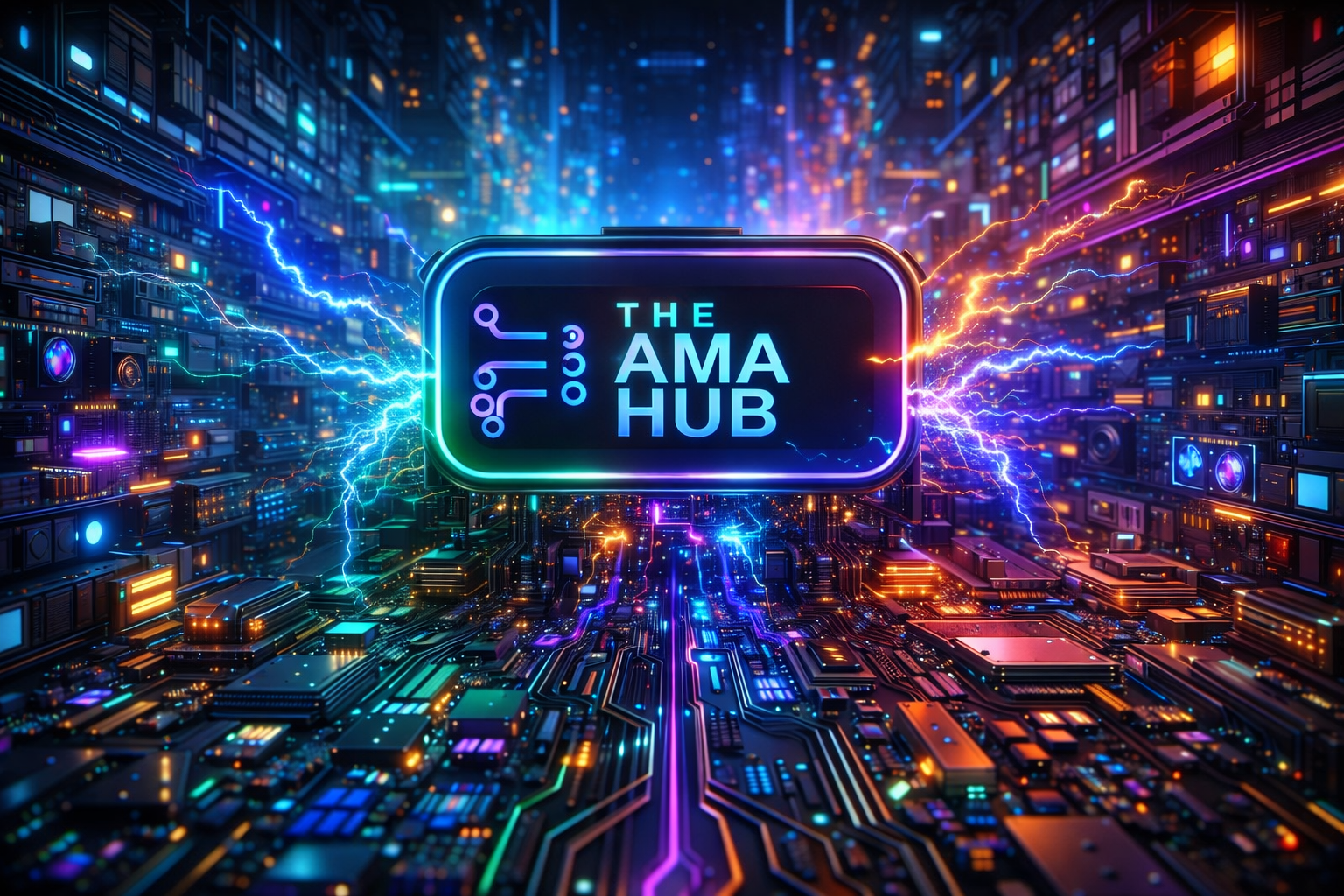
Prompt Used:
Transform the uploaded logo into the central CPU of a massive futuristic quantum supercomputer… (full prompt preserved as provided)
Result:
The logo appears embedded as a glowing processor at the heart of a vast motherboard, with electric energy arcing through ultra-detailed circuitry. The scene conveys scale, power, and cinematic realism—demonstrating GPT Image 1.5’s strength in large, complex environments and brand-driven visual transformation.
Showcase #2: Paris Outdoor Café — Eiffel Tower
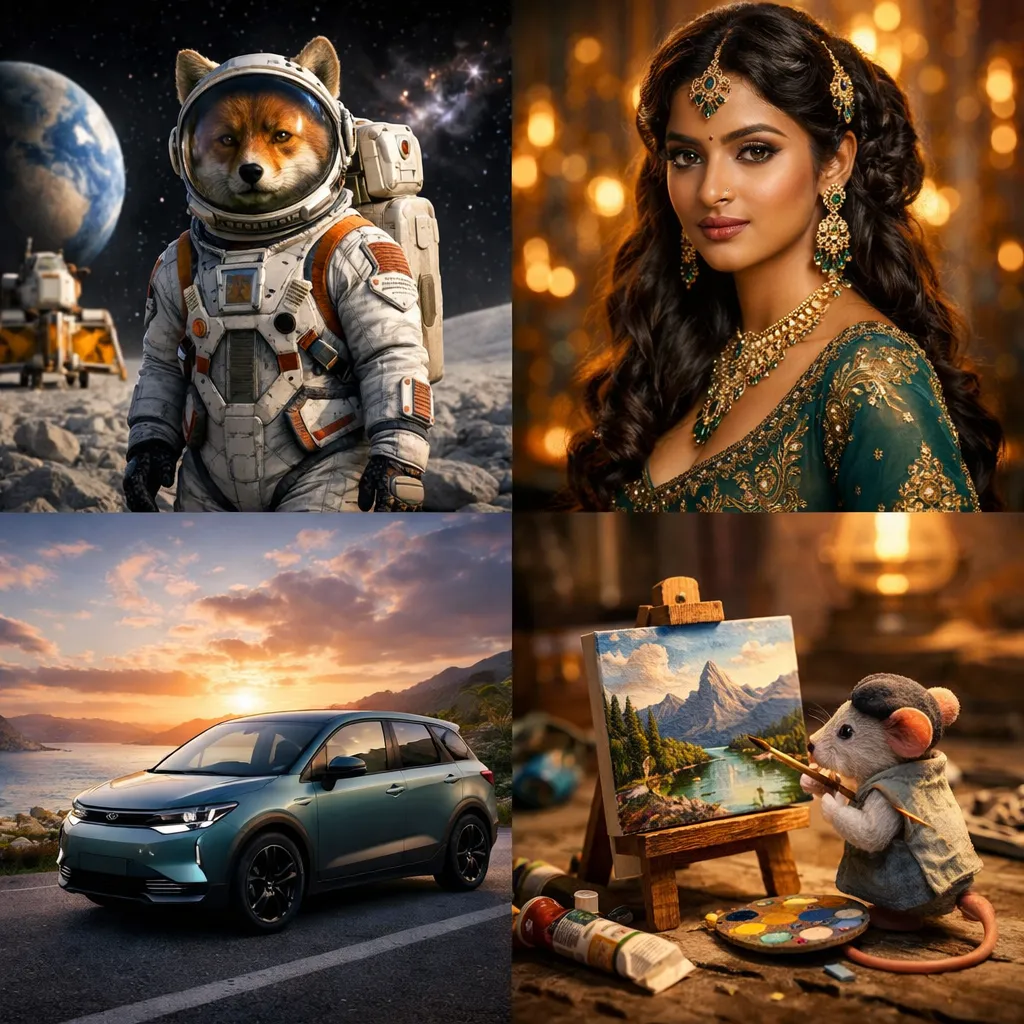
Prompt Used:
Create an ultra-high-end photorealistic daytime scene of a Parisian outdoor restaurant near the Eiffel Tower… (full prompt preserved)
Result:
A lively café scene unfolds under natural daylight, with accurate architecture, realistic human activity, and correct geographic scaling of the Eiffel Tower. The image reads as a believable snapshot of Parisian life rather than a stylized illustration.
Showcase #3: Hyper-Realistic Human Portrait (Female)
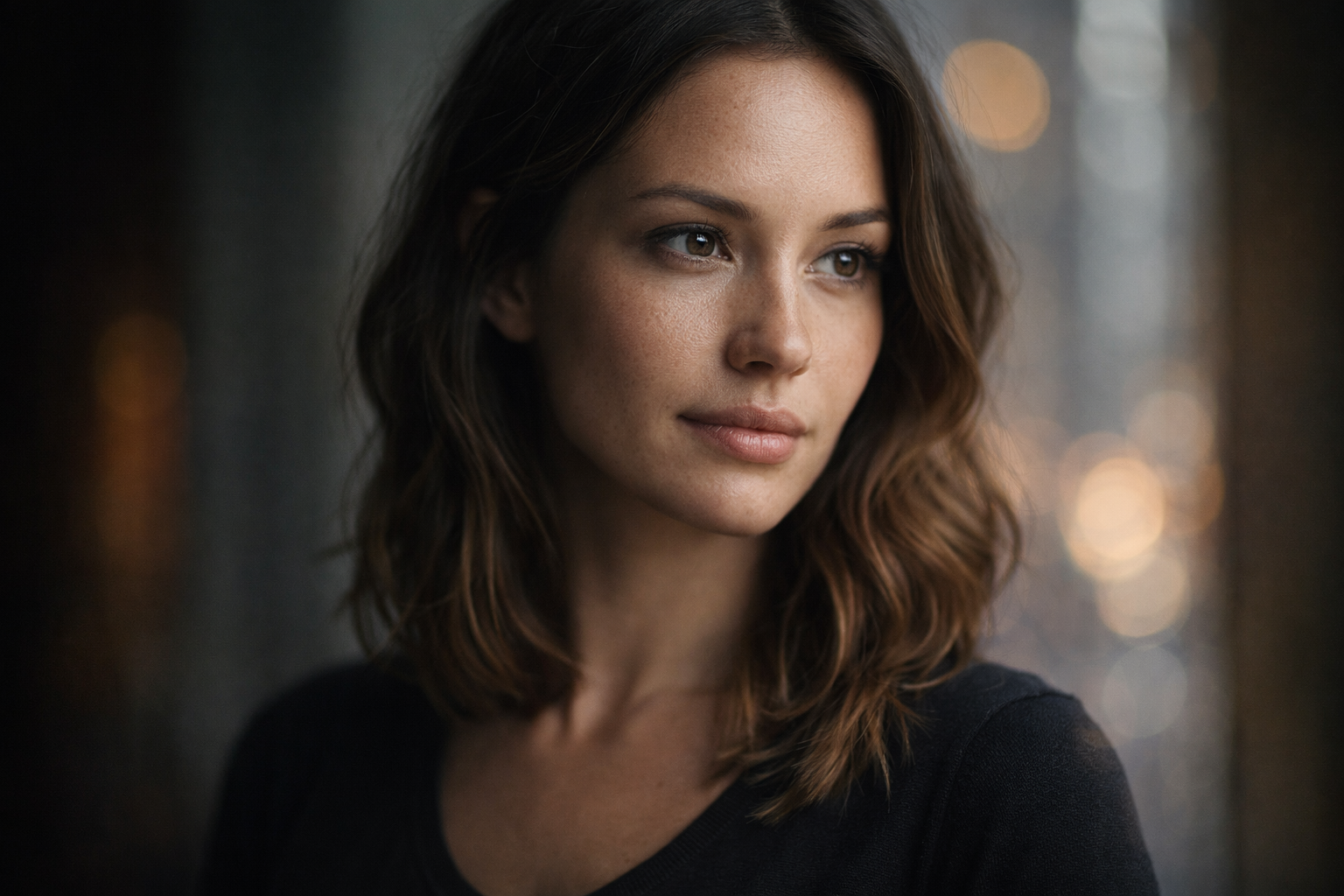
Prompt Used:
Create an ultra-high-end hyper-realistic portrait of a real human subject… (full prompt preserved)
Result:
The portrait closely resembles a professional DSLR photograph, with natural skin texture, realistic lighting, shallow depth of field, and subtle facial asymmetry—demonstrating GPT Image 1.5’s advances in human realism.
Showcase #4: Hyper-Realistic Human Portrait (Male)
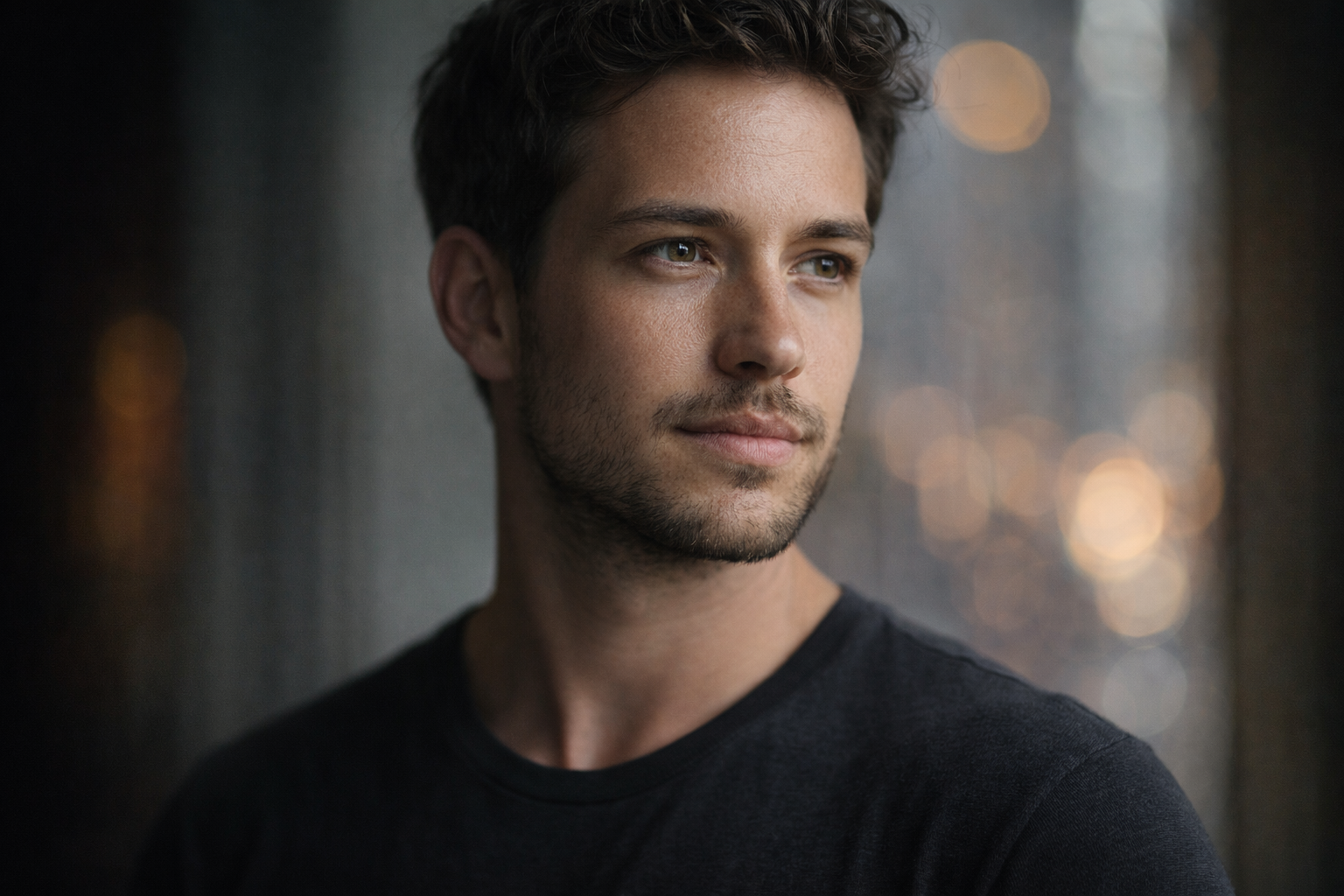
Prompt Used:
Create the same hyper-realistic photographic portrait as before, but with a male subject… (full prompt preserved)
Result:
The male portrait maintains consistent lighting, camera characteristics, and realism from the previous image, highlighting GPT Image 1.5’s ability to preserve visual continuity across multiple subjects.
Showcase #5: Seamless Subject Combination — Shared Scene Composition
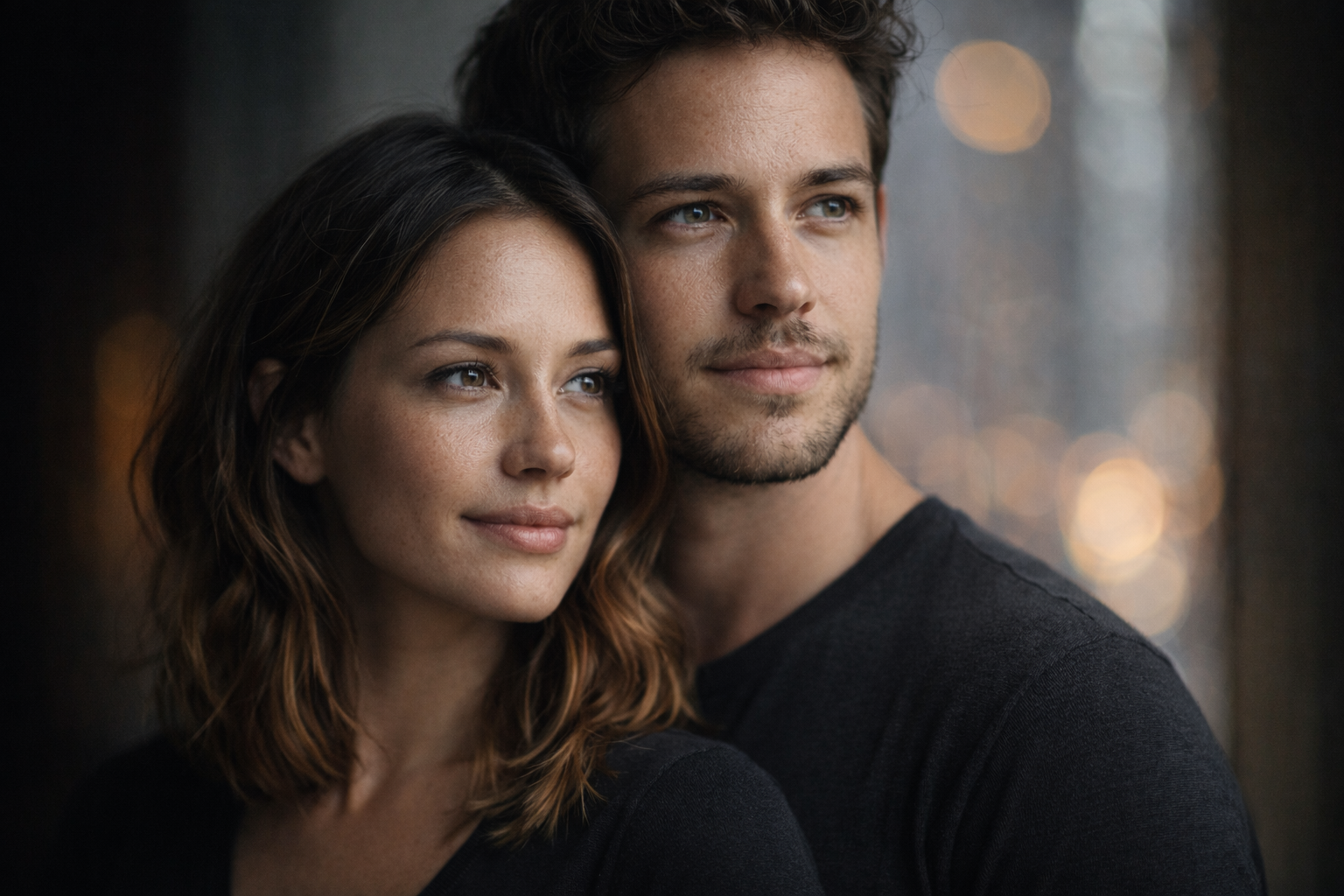
Prompt Used
Using the previously generated female subject and male subject, place both individuals together in the same image as a single, cohesive photographic scene.
Maintain identical photographic realism, lighting style, camera characteristics, and depth of field from the earlier portraits.
The two subjects should appear naturally positioned side by side, with believable body language and spatial interaction, as if captured in the same professional studio session.
Ensure consistent skin tones, facial proportions, hair detail, and texture quality for both individuals.
Lighting must remain soft and directional, with realistic shadow falloff and matching highlights across both faces.
Background should retain the same blurred bokeh aesthetic, scale, and color temperature as the original portraits.
Camera simulation: full-frame DSLR, 85mm lens, f/1.8.
Style: cinematic photographic realism.
No text, no watermarks. Highest possible resolution.
Resulting Image Description
The resulting image presents both subjects together in a single, unified photographic composition that appears indistinguishable from a professionally staged studio portrait. Lighting, depth of field, and background blur remain perfectly consistent with the original individual portraits, while facial features, skin texture, and proportions are preserved without distortion.
Crucially, neither subject appears composited or artificially merged. Instead, the scene reads as a natural extension of the earlier images—demonstrating GPT Image 1.5’s ability to combine separately generated human subjects into a shared environment while maintaining full visual coherence.
Why This Example Matters
This showcase highlights one of GPT Image 1.5’s most advanced capabilities: iterative, non-destructive visual continuity across multiple generations.
Rather than reimagining or approximating subjects, the model successfully:
- Preserves individual identity and realism
- Maintains consistent lighting and camera physics
- Integrates multiple humans into a single believable scene
- Avoids common compositing artifacts seen in earlier models
This capability is especially valuable for storytelling, branding, character development, marketing assets, and multi-image narratives, where continuity is critical.
Strategic Takeaway
GPT Image 1.5 excels at:
- Complex multi-subject scenes
- Environmental realism
- Cinematic lighting
- Brand-driven transformations
- High-fidelity human generation
Its true strength lies in creative visualization with control, especially in workflows where consistency, realism, and iteration matter more than novelty.
Closing Perspective
With its December 16, 2025 release, GPT Image 1.5 represents a meaningful evolution in AI image generation. By combining speed, precision editing, and reliable instruction-following, it moves beyond novelty into professional-grade visual creation.
For creators, developers, and businesses alike, GPT Image 1.5 is best understood not as an art toy—but as a general-purpose visual engine designed for real-world use.
Frequently Asked Questions (FAQ)
Can GPT Image 1.5 edit existing images?
Yes. GPT Image 1.5 supports true iterative image editing, allowing targeted changes without regenerating the entire image.
How is GPT Image 1.5 different from earlier OpenAI image models?
The key difference is control and reliability—with better prompt adherence, faster iteration, improved realism, and non-destructive edits.
Is GPT Image 1.5 available via an API?
Yes. GPT Image 1.5 is accessible through OpenAI’s Images API, supporting text-to-image generation and image editing with reference inputs.
Can GPT Image 1.5 maintain visual consistency?
Yes. Reusing prompt language and issuing incremental edits allows consistent lighting, perspective, and realism across multiple images.
Is GPT Image 1.5 safe for realistic human generation?
GPT Image 1.5 follows OpenAI’s content and safety policies, balancing realism with safeguards around identity misuse and sensitive content.
Who is GPT Image 1.5 best for?
- Creators: fast iteration and refined visuals
- Developers: API-level image control
- Businesses: predictable, brand-safe visuals
Related reading
- AI Agents vs Chatbots: Difference in 2026
- Protect API Keys in the AI Agent Era (2026)
- Before You Buy: Is Paying for AI Tools Worth It?
The AMA Report cuts through the noise — practical intelligence for business operators making real decisions. Subscribe free →